
Let’s be honest. If you run anything in the cloud, or really, if you run any kind of business, there is a good chance you are overpaying for something right now and you just don’t know it yet.
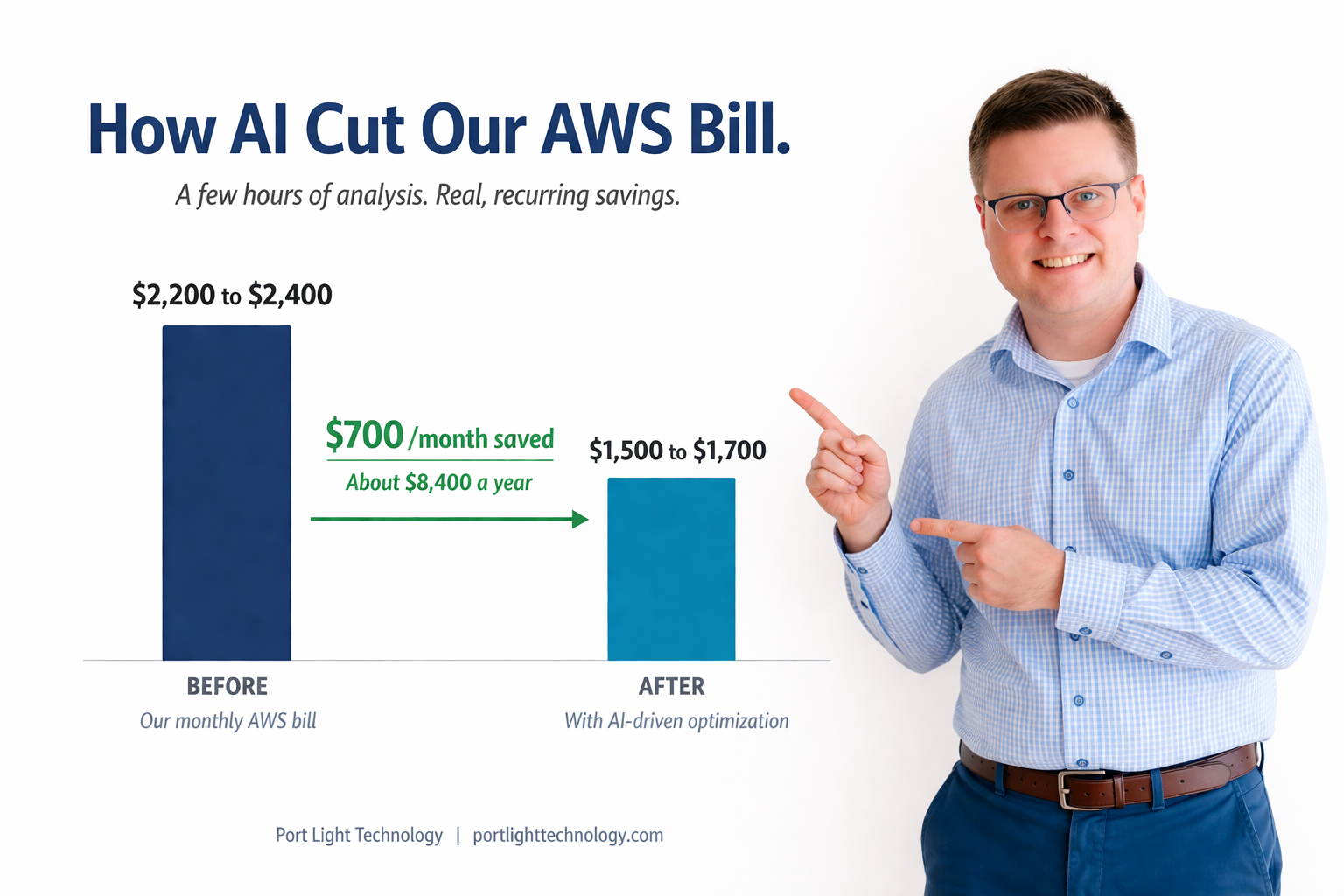
We recently pointed AI at our own AWS bill and walked away saving around $700 a month. That is real money, and it didn’t take a massive infrastructure overhaul. What it did take was a shift in how we look at our own operations.
Here is the story of what we found, what we changed, and more importantly, how you can apply the same thinking to your business, even if you have never opened a cloud console in your life.
Where We Started
Our monthly AWS bill was running somewhere between $2,200 and $2,400 a month, sometimes pushing close to $2,500 depending on what was happening that month. We aren’t running a massive enterprise operation. We were hosting a mix of things:
- A fleet of servers for the WordPress and WooCommerce sites we host for clients
- Custom server setups for clients who have unique infrastructure needs
- Backups, storage, and the behind-the-scenes services that keep everything running smoothly
We have always kept an eye on the bill. Every month we would look it over to make sure nothing weird had snuck in, and we would check on server performance from time to time. But here is the truth about AWS bills. They have a sneaky way of creeping up over time. It is really easy to miss the small stuff that quietly adds up.
Why We Pointed AI At It
Over the last six months or so, we have made it a company-wide habit to ask one question any time we face a problem: “How could we use AI to solve this better, faster, or cheaper?”
We ask that about development work. We ask that about client projects. So when it was time to take a fresh look at our own infrastructure, the same question applied. We already knew AI could dig into data faster than we could and spot patterns we might miss. Why not point it at our own bill?
Over the last six months or so, we have made it a company-wide habit to ask one question any time we face a problem: “How could we use AI to solve this better, faster, or cheaper?”
What We Actually Did
The process was simpler than you might think. Here is the whole thing, start to finish.
1. Downloaded a couple of months of AWS bills. Just the raw billing data, right out of the AWS console.
2. Used Claude with the Cowork feature so it could read the files directly from my computer. I gave it the billing data and asked it to break down what we were paying for and what we were actually using.
3. Gave it the lay of the land. I walked it through the servers we had running, our AWS environment, and the overall shape of our infrastructure.
4. Let it connect to our servers and to AWS through the command line. This is where the analysis really got deep. Instead of just looking at the bill, it could actually see what was happening on each server. Things like load patterns over months, how resources were being used, and trends we weren’t tracking closely for billing purposes.
5. Let it analyze and recommend. It dug into specific services like EC2 instances, S3 storage, and disk usage, and put together a prioritized list of changes.
The whole initial analysis took about an hour. After that, maybe a few minutes a day to monitor things as we rolled changes out over a couple of weeks.
What It Found (And What Surprised Me)
A handful of things really stood out.
Zombie servers. We had a couple of small servers spun up that were originally supporting a client environment. We still work with that client, but their architecture had evolved, and those particular servers were no longer needed. They had been quietly running, and quietly billing us, well past their usefulness.
Over-provisioned EC2 instances. Amazon has hundreds of different EC2 instance types and sizes, each one tuned a little differently. The AI dug into our actual workload patterns over months and found that we had been over-provisioning servers. That is a habit we had built up over years of wanting to make sure we always had enough headroom. Turns out, we had a lot more headroom than we needed.
Backup bloat. Our disk usage for backups was way bigger than our current backup retention policy actually required. The AI mapped out exactly how to shrink it without losing any protection.
Wrong storage class for cold data. Our remote backups were sitting in a storage class that assumes you will be accessing the data regularly. But realistically, we almost never touch those backups. They are there for disaster recovery. Moving them to a colder storage class, one built for data that rarely gets accessed, saved us a meaningful amount of money with no practical downside.
What We Changed
Based on what we found, we made a series of targeted changes:
- Shut down the zombie servers
- Resized our EC2 instances to match our actual workload
- Shrunk our backup disk usage to match our real retention needs
- Moved remote backups to a cold storage class built for rarely-accessed data
Each change took anywhere from a few minutes to about an hour of actual work. The key was rolling them out in phases. One change at a time, then a few days of monitoring to make sure everything was still running clean before moving on to the next one.
What We Didn’t Do
This is the part most AI optimization stories skip, and I think it is the most important part to share.
There were a couple of recommendations we decided not to follow.
A server resize we pulled back on. The AI wanted us to downsize one server further than we felt comfortable with. We did downsize it, just not all the way. We wanted some headroom for traffic spikes, and we were right to hold some back. When peak load hit, we saw some metrics we didn’t love, and we made a smaller adjustment from there.
Database performance tuning. The AI suggested some aggressive database optimizations that would have let us shrink servers even further. But when we took a second look, we felt that tuning was too aggressive for the actual variety of workloads we run. We passed.
Here is the lesson in all of this. AI knows a lot, but it has a narrow view compared to what we as humans know about our own projects, our clients, and what is actually the right call in context. Always take a second look before you hit apply. The recommendations are a starting point. They are not the final answer.
What The Numbers Look Like
Before: $2,200 to $2,400 a month After: $1,500 to $1,700 a month
That is a real savings of around $700 a month. Annualized, we are looking at roughly $8,400 a year back in the business, for a few hours of work.
On the performance side? Nothing that impacted end users. We caught one minor metric issue on the resized server during peak load, tuned it up, and everything has been running smoothly since. That is exactly why we rolled changes out slowly instead of all at once.
This Isn’t Just An AWS Story
Here is what I really want you to take away. The AWS bill was just one example. Every business has data like this sitting around. Data that AI can look at with fresh eyes and find things you would never catch yourself.
A few quick examples for non-tech businesses:
Restaurants. Feed AI your supplier invoices, delivery receipts, and food cost data from the last few months. Ask it to find trends, anomalies, and cost savings opportunities. Are you paying different prices for the same product across vendors? Are your bulk order breakpoints off? Is there a supplier whose prices have quietly crept up on you?
Retail shops. Use AI to review inventory data against purchase history. Forecast inventory needs based on seasonal trends. Spot the slow-moving items that are tying up your cash.
Service businesses. Have AI review your contracts and invoices. When we ran this on our own billing system, it caught a handful of places where we weren’t charging for things we should have been. So AI didn’t just save us money on AWS. It also helped us find revenue we were leaving on the table.
The pattern is the same whether it is a $2,400 cloud bill or a stack of supplier invoices. If you have data sitting around, AI can find things in it that human eyes miss.
The Simplest Version You Can Try This Week
You don’t need to be technical. You don’t need to connect AI to anything complicated. Here is the easiest way to get started:
- Grab your last few monthly invoices or your P&L.
- Open Claude, or whichever AI tool you like.
- Tell it: “You are a CTO with years of experience. Review this and tell me what you see. Problems, anomalies, anything that stands out.”
- Read the response carefully. Ask follow-up questions.
The results will probably surprise you. Even non-technical business owners can do this in an afternoon, and the downside is basically zero. You either confirm things are running well, or you find something worth fixing.
How We Can Help
If you would rather have someone handle the hosting and infrastructure side for you, that is exactly what we do.
I have been working in website hosting and infrastructure since 2006. That is nearly twenty years watching this space change. Over that time, we have built a practice around designing custom hosting solutions for businesses whose needs don’t fit neatly into a cookie-cutter plan.
Here is what that looks like:
- Custom hosting design and implementation. We build hosting environments tailored to your specific business. Anywhere from a simple brochure site, to a nationwide e-commerce platform, to a custom web application serving hundreds of users a day.
- Hosting optimization. If you already have hosting in place, we will dig into your current setup, pull performance metrics, review logs, and look for ways to improve performance, reduce costs, or both.
- Long-term infrastructure partnership. We review and tune your environment over time as your needs change. Growth happens. Sometimes scaling back is the right call. Unlike the big hosting providers, we actually take the time to look at your situation individually.
Most people who come to us are in one of three boats. They are hitting performance issues, they are trying to scale and things aren’t keeping up, or they have that nagging feeling that they are overpaying and don’t know why. We have saved clients anywhere from $50 a month on smaller setups to several hundred a month on larger ones. And in many cases, we have improved performance at the same time.
Here is the difference between us and a big hosting provider. When something goes wrong on a big platform, their answer is almost always “upgrade to a bigger plan.” Our answer is “let’s figure out what is actually going on first.” Sometimes the real fix is optimizing the application itself, not throwing more hardware at it.
Want To Talk About Your Setup?
If any of this sounds familiar, whether you are curious about optimizing what you have, planning something new, or you just want a second set of eyes on your bill, give me a call at 262-457-4707 or send an email on our contact page.. You can also visit us at portlighttechnology.com. We are happy to have a conversation and see if we can help.
The best time to optimize your hosting was probably a year ago. The second best time is today.